
Long-term travel is a unique and rewarding experience that stays with you for the rest of your life. Memories might fade gradually, and the specific details might get confusing, but you will always have photos and videos documenting all the events you lived through, right?
That might be true, but very often, extended journeys result in tons of storage clutter. Tens of duplicate photos, an army of images you took completely by accident, videos shot with shaking hands and pointing at the ground: the examples are endless here. It can be frustrating, but most importantly, excessive clutter will slow your device down. Learn why you need to clear phone storage after travel and the best ways to do it.
Problems with Overloaded Storage
The more photos you take, the more overloaded your storage becomes. It can easily get to a point where it starts slowing down the performance of your phone, and processes that happened in seconds now take up more and more time. Camera performance starts lagging, system crashes jump in frequency, software updates last for hours, and backups refuse to be created.
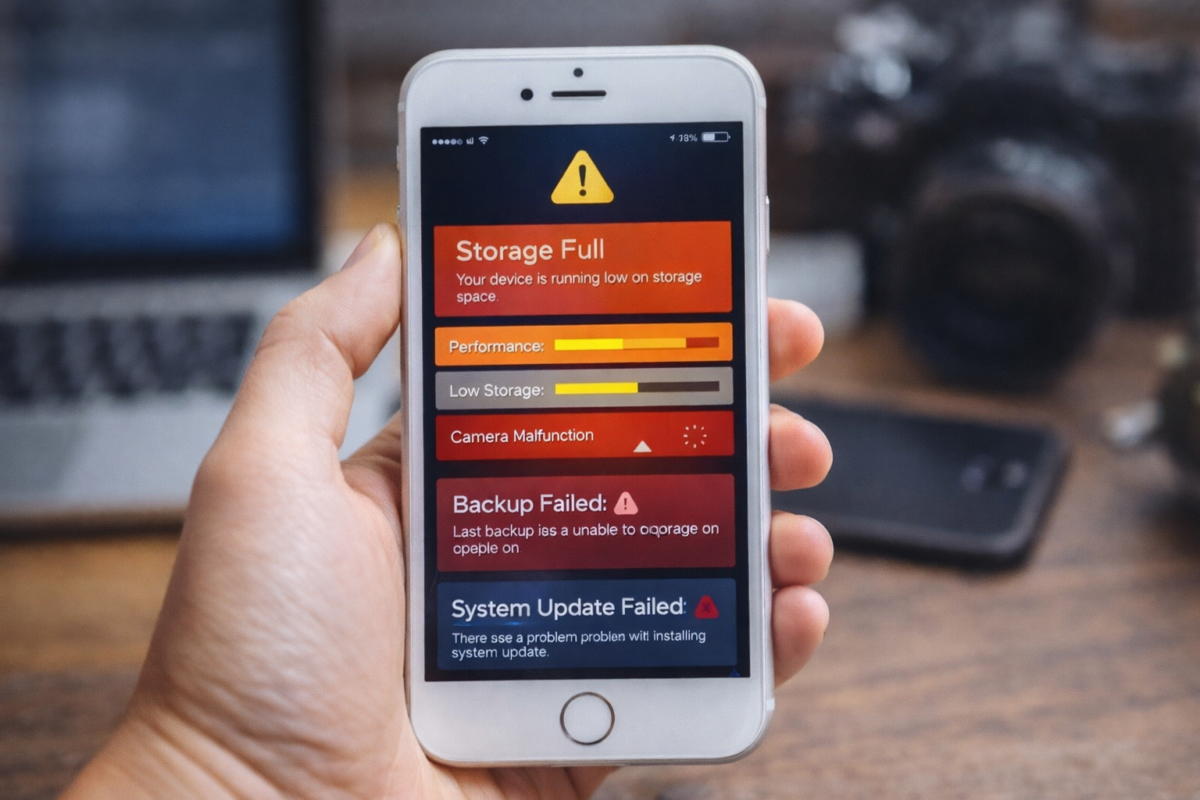
There is always the option of using a decluttering app or service to refresh your storage. Connecting your device to CleanMyPhone can let you compress your largest video files, screen your clutter and storage, and see what’s taking up the biggest part of your phone’s memory. But that’s just one of the steps to complete and efficient digital junk removal; understanding what kind of clutter you face and the available solutions is just as essential.
Obvious Clutter
We can divide travel-related clutter into two types: obvious and hidden clutter. The former is easy to spot, hence the name. Its common examples include:
- Duplicate travel photos that depict the same landmarks, poses, or meals. The angles might differ a little, but it can be next to impossible to really tell such photos apart.
- Blurry photos where someone moved at the wrong moment, the lighting turned out to be bad, or an accident happened.
- Lengthy videos with little value where nothing is happening. For example, it might be a video of a cat sleeping for 1 minute and doing something fun for just two seconds in the middle.
- Screenshots of tickets and bookings that you used to travel between locations comfortably but which you absolutely don’t need now.
Do photos like these have any real value? No. On the contrary, they clutter your storage to the point where it becomes difficult to treasure meaningful reminders of your travel experience, as your review process keeps getting interrupted.
Hidden Clutter
Hidden clutter is more difficult to address because you might simply fail to remember that you have it. Here is what it comprises:
- Downloaded offline maps that you used for navigating unfamiliar locations but which have become useless now.
- Old language packs that helped you communicate with the locals, ask for direction, and buy the things you wanted.
- Messaging media where you shared a ton of photos and videos with your friends, stuffing your app storage to the brim.
- Travel-related apps, such as local cab drives, emergency services, hotel or transfer apps, etc.
Even if you deleted the obvious clutter, the hidden one might linger, making it difficult to understand why your device has begun to work more slowly.
How to Make Your Storage More Manageable
Now, how to grasp the basics of efficient storage management if you are a person who enjoys long-term travel? Check out a couple of suggestions below. They are simple, but no one who tried them will ever deny their efficiency.
- Start with obvious clutter. The most pressing problem will hide in your gallery. Go through your images and videos carefully; delete duplicate travel photos and blurry shots.
A note: if you have too many photos and feel unsure as to where to start, it’s better to review everything in batches. Sort your pics by date or location, and start going through them methodically.
- Check your downloads. See what your Downloads folder stores: delete maps, travel guides, language packs, etc.
- Organize your files. Instead of dumping all the files you have to your cloud chaotically, sort them by categories. Create labeled albums; it will simplify your future review processes.
- Use screening apps. There are apps that can help you monitor how your storage is doing and point out the largest and the most useless files, including spotting duplicates and showing them to you.
- Study screenshots. Travelers often forget about screenshots, but they can clutter your memory to a disturbing extent.
In 2025, more than 1.1 billion people traveled internationally. It’s a guarantee that each of them took at least some photos and videos; can you imagine the level of clutter they faced altogether? This level doesn’t drop just because we’re talking about one specific person with one specific phone, not where it counts. The more you travel, the more your phone will struggle, and decluttering it is the basic remedy you can apply.
Review your content regularly after completing your trip, preferably on a day-to-day basis. It’s easier to get 100 photos in order from the start than to deal with 10K of them at a later point. Do app-assisted checks, too, and your storage will remain functional.
Enjoy Your Clutter-Free Memories
Making memories as you travel is an unparalleled experience, but keeping absolutely every photo and video means killing the speed of your device and destroying your storage. It will harm your reminiscing, too, as when you want to refresh your memories, you will stumble upon duplicate photos, blurry images, and second-long videos here and there.
Use apps that can automatically pinpoint and remove all the clutter. Do your manual checks, too; better yet, delete unnecessary content the moment you create it. Just review what kind of photos or videos you’ve taken at the end of each day of traveling. Master the basics of effective storage management, and make it an inherent part of your travel.